Our Tools
A few tools from our internal work — shared openly
DragON
Internal Authentication Tool · Community Release
DragON is a small authentication utility we built internally while experimenting with alternative login flows for Windows. The idea was simple: replace typed passwords with a drag-and-drop gesture on a picture grid — something more natural on touch screens. We found it useful, so we cleaned it up and made it available publicly.
Works especially well on tablets and touch-enabled devices
What it does
- Works on tablets and touch-enabled Windows PCs
- Gesture-based login — no keyboard needed
- Supports Windows 10 and Windows 11
- Enrollment and credentials stored locally on your device
- Simple to set up, simple to use
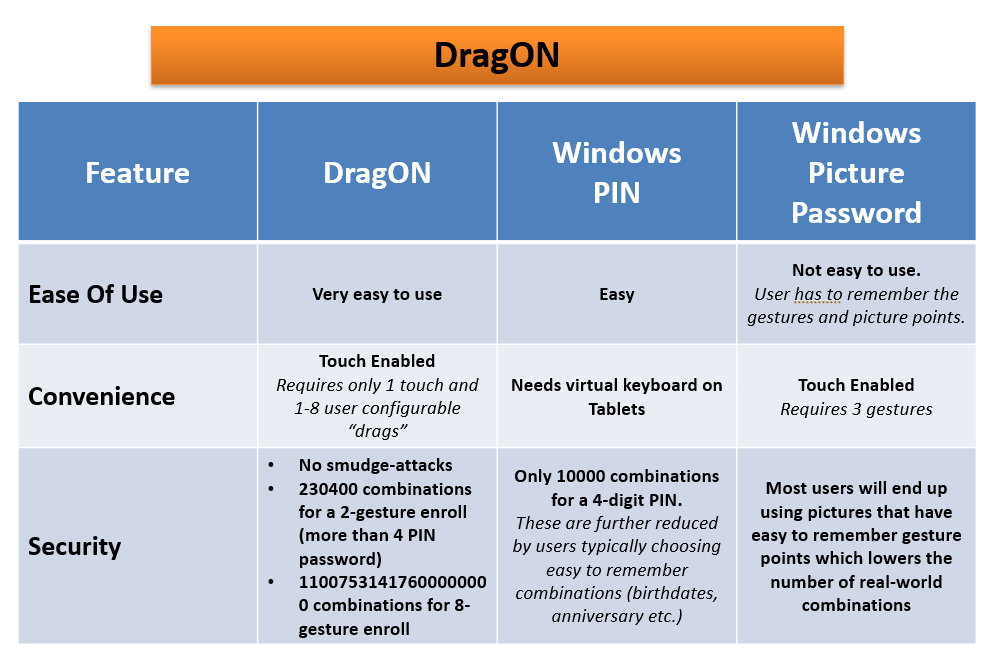
How DragON Compares
See why DragON is the better choice for touch devices
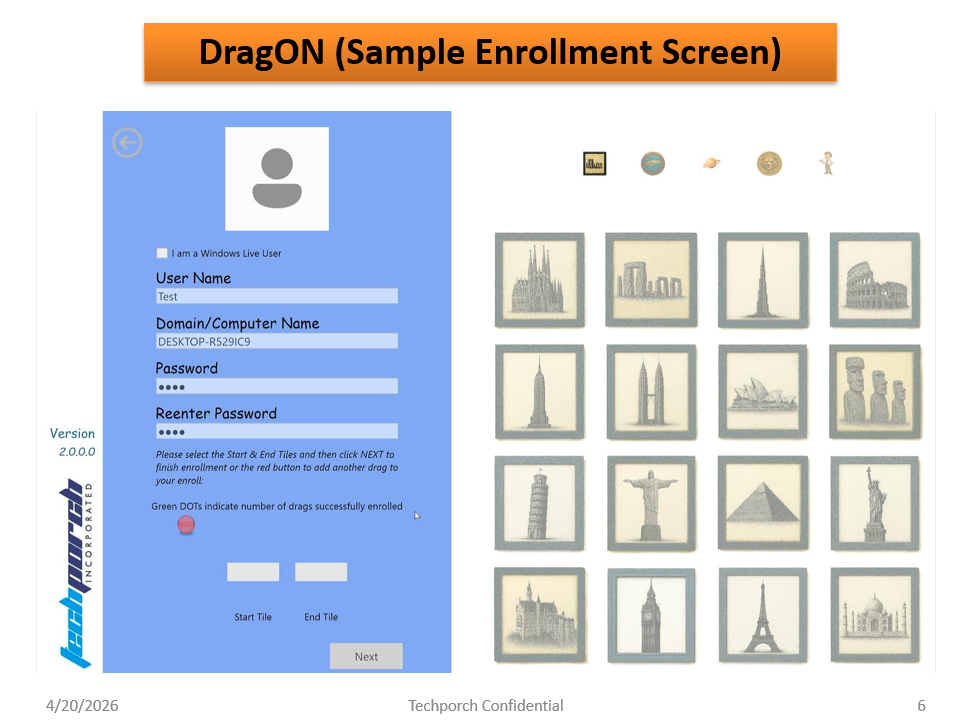
Enrollment Made Easy
Setting up DragON takes just seconds. Choose your picture set, perform your drag gesture, and you're done. No complicated setup wizards — just a single intuitive enrollment screen.
- Pick any picture set that you enjoy
- Perform 1–8 drag gestures to define your credential
- Enrollment is stored securely on your device
- Change your enrollment at any time
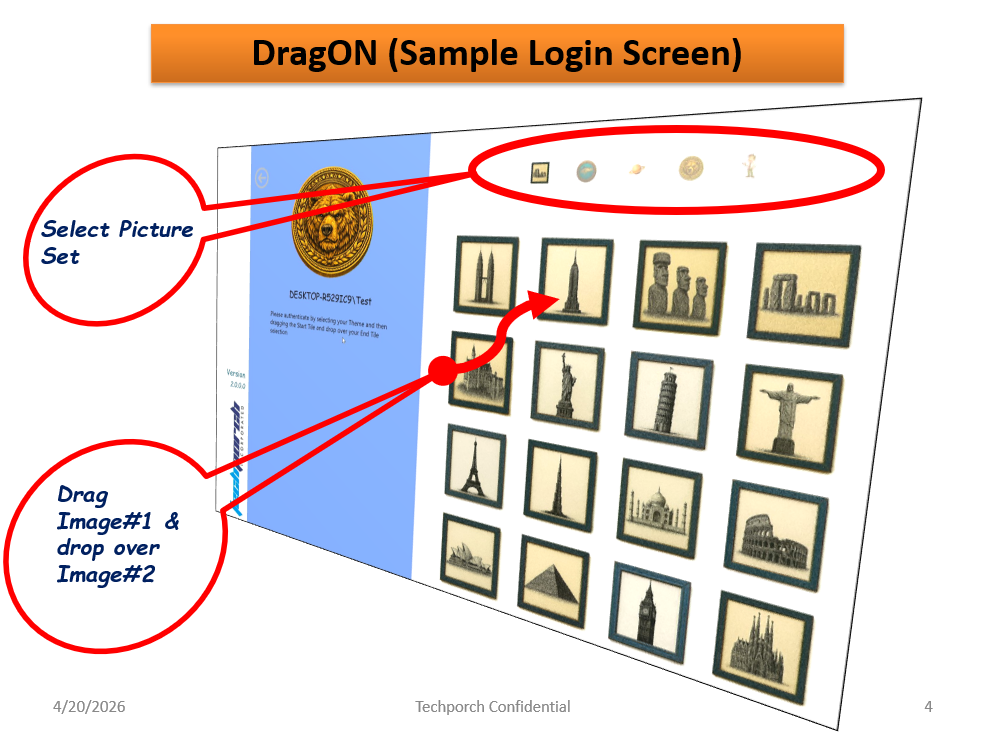
Key Features
Why DragON is the perfect login solution for touch devices
Touch Enabled
Requires only 1 touch and 1-8 user configurable drags. No virtual keyboard needed on tablets!
More Secure
230,400 combinations for 2-gesture login (more than 4-digit PIN). No smudge attacks. Up to 8-gesture for maximum security.
Simple to Use
Just drag one picture and drop it on another. Easy to remember, quick to use. No more typing complex passwords.
Windows 10 & 11
Fully compatible with Windows 10 and Windows 11. Integrates seamlessly with the Windows login system.
Get DragON
Free to download — limited trial available on Microsoft Store and GitHub
Trial Edition
Free community release. One user, one drag enrollment, full access to built-in picture sets.
- Maximum 1 user
- Maximum 1 drag/swipe enrollment
- 180-day trial period
- All built-in picture sets
- Community documentation
More features planned
A version with additional capabilities is in the works — multi-user support, up to 8 configurable gestures, and no trial limit. No release date yet.
DragON is not part of Techporch's consulting services or commercial offerings. It is an internal tool we have made available as-is for community use, and is not representative of our consulting portfolio.